




Can't see a Student Account Created in myLexia
Overview
This article explains why educators with teacher-level access might not see a student account they created in Manage > Students.
Applies to: Educators who have Teacher-level access in myLexia®.
Does not apply to: Educators and administrators who have Read-Only access in myLexia®, and some educators in myLexia sites that use an automated rostering method.
I created a student account, but now I can't see it
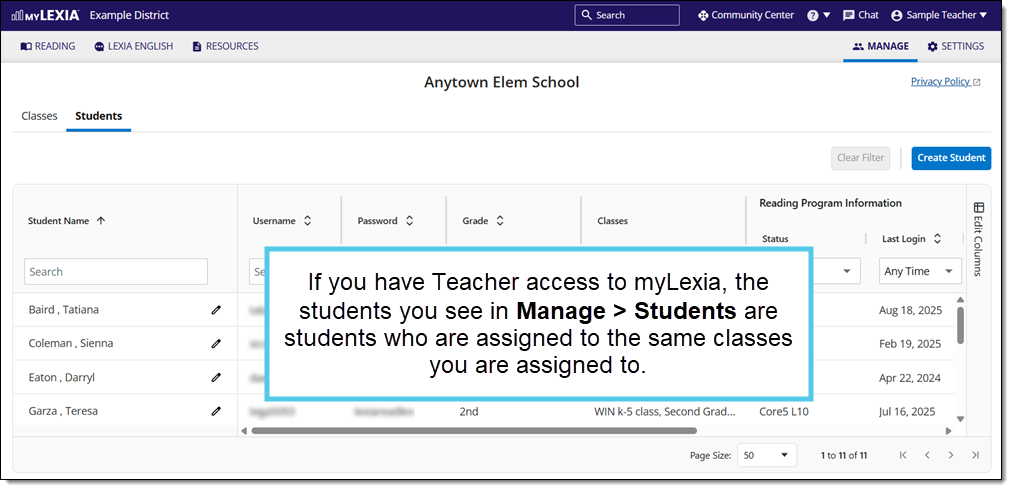
If you have Teacher-level access in myLexia, when you are on the Manage page, you can only see the students who are assigned to a class that you are also assigned to.
Creating a student from the Manage page doesn’t automatically add the student to your class. Therefore, you won’t see their name in the Manage > Students list until you add them to your class.
How can I see the student I created?
If you created a student account in Manage > Students, you will then need to add the student to your class. Once the student is added to your class, you will be able to see their account in your Class Overview and in Manage > Students.
See How do I Edit a Class in myLexia?
Is there a way to create students and add them to my class in one step?
Yes! If you create a student account through your Class Overview on the Reading page, the student is automatically added to your class, and you will be able to see their account in your Class Overview and in Manage > Students.
See How to create a student account and add student to a class.