



myLexia Reports: Core5 Class Skill Checks Report
myLexia Reports: Core5 Class Skill Checks Report
Overview
This article explains where to find the Lexia® Core5® Reading Class Skill Checks report and what information is included in the report.
Applies to: Educators and administrators who have Teacher, School Admin, or District Admin access to myLexia®.
What is the Core5 Class Skill Checks report in myLexia?
The Core5 Class Skill Checks report displays data on your class's performance and progress on Core5 Skill Checks and any associated Lexia® Assignments for the current school year.
The Class Skill Checks report will help you answer the following questions:
How did my students perform on their end-of-level Skill Checks?
What instructional support is provided to students based on their Skill Check results?
Which students need my immediate attention or intervention?
What information is included in the Core5 Class Skill Checks report?
The Core5 Class Skill Checks report contains the following information:
Class Progress Summary: Displays the number of Lexia Assignments delivered to your class. Their completion statuses (Not Started, In Progress, Complete) are also displayed.
Student Progress Summary: Displays the student's performance and progress on all the Skill Checks in a single level. Each Skill Check score is color-coded (green, yellow, orange) based on the student's performance. This color-coding helps identify which students to prioritize for further targeted instruction. The Student Progress Summary also displays the number of Lexia Assignments assigned to the student.
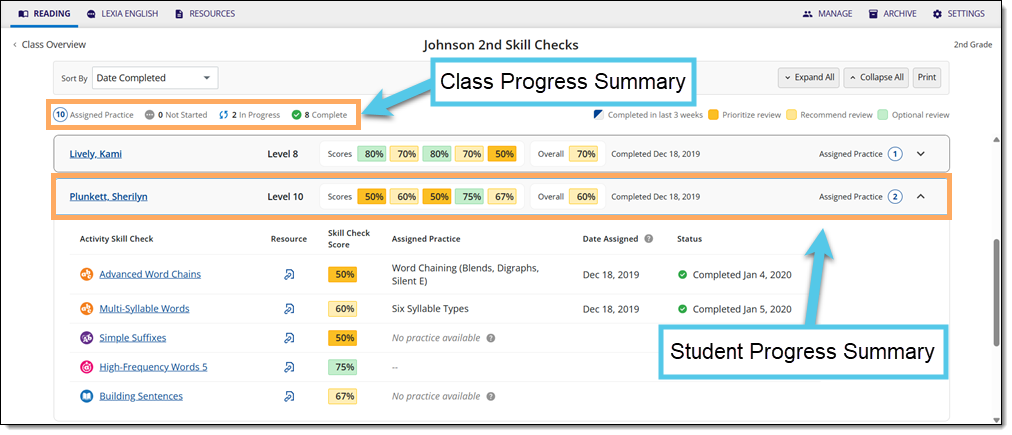
Expanded Student Summary: Displays details on each of the student's Skill Check scores. A related Lexia Connections resource is also available for each Skill Check. The completion statuses of the student's Lexia Assignments are also recorded.
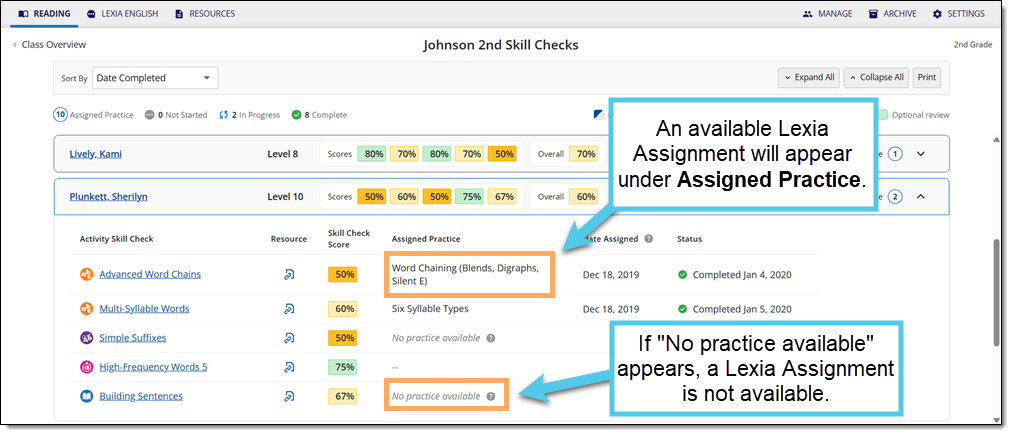
If a student scores below 75% on a Skill Check, Core5 will assign them a Lexia Assignment, if available. The assignment will appear under the Assigned Practice column. If the Assigned Practice field displays "No practice available," a Lexia Assignment is not available.
Where do I find the Core5 Class Skill Checks report in myLexia?
To find the Core5 Class Skill Checks report:
For administrators, selecting the Reading tab will take you to the District or School reports page by default. To see the Class Skill Checks report, you will need to navigate to the Class Overview page first. Select a school from the District Overview. Then, select a class from the School Overview.
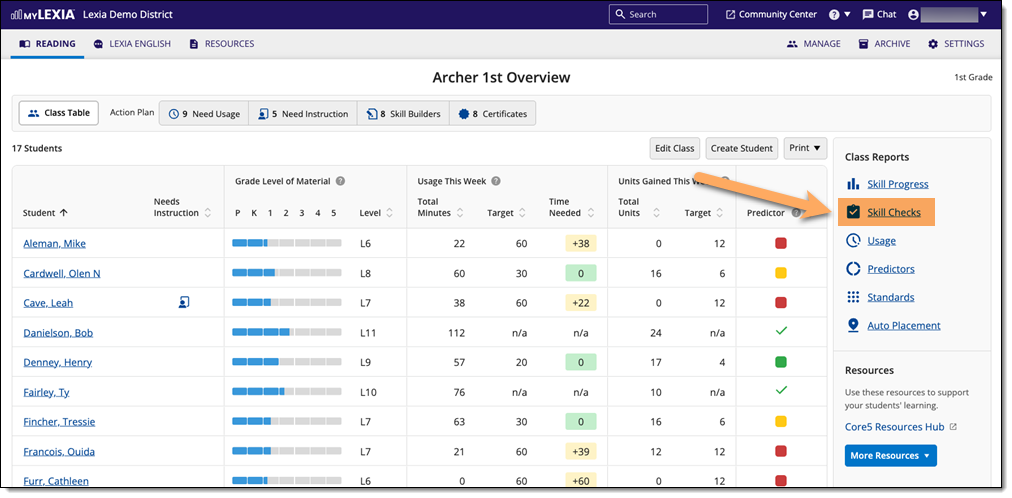
In myLexia, select the Reading tab to view your Class Overview.

Do you have more than one class set up in myLexia? Use the My Other Classes dropdown to choose another class.
Select Skill Checks from the Class Reports sidebar.
How do I print or save the Core5 Class Skill Checks report?
To print and/or download the Core5 Class Skill Checks report:
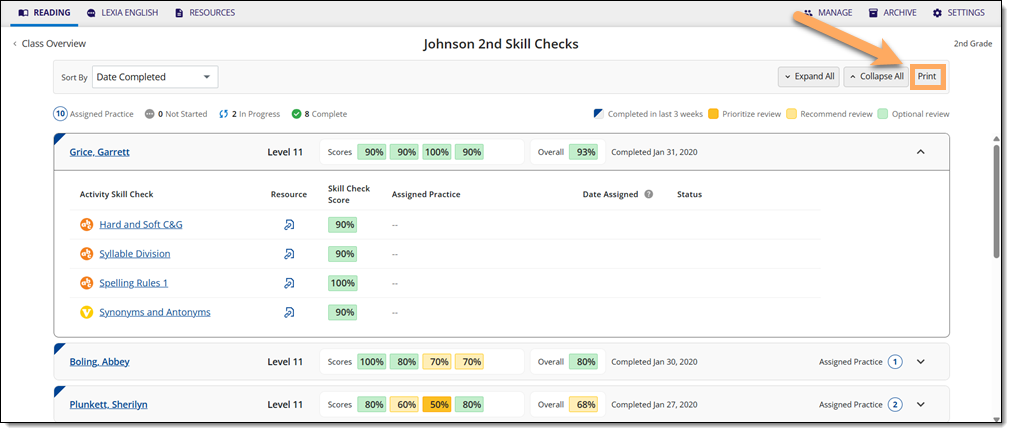
On the Core5 Class Skill Checks page, select Print to generate a PDF of the Class Skill Checks report.
Where can I learn more about the Core5 Class Skill Checks report?
The Core5 Class Skill Checks Guide is a downloadable PDF that provides the following:
Overview and main purposes of the Class Skill Checks report
Information on the data included in the report
Suggestions on how to use the data to prioritize targeted instructional support