



Learn More About: Hints in PowerUp
Overview
Hints are a feature in Lexia® PowerUp Literacy® that allow students to access resources to help them with the skills they are currently working on in the program. This feature encourages students to use available resources rather than guessing, and to choose resources that work best for them.
Applies to: Educators and administrators whose students use Lexia® PowerUp Literacy®
How can students access Hints in PowerUp ?
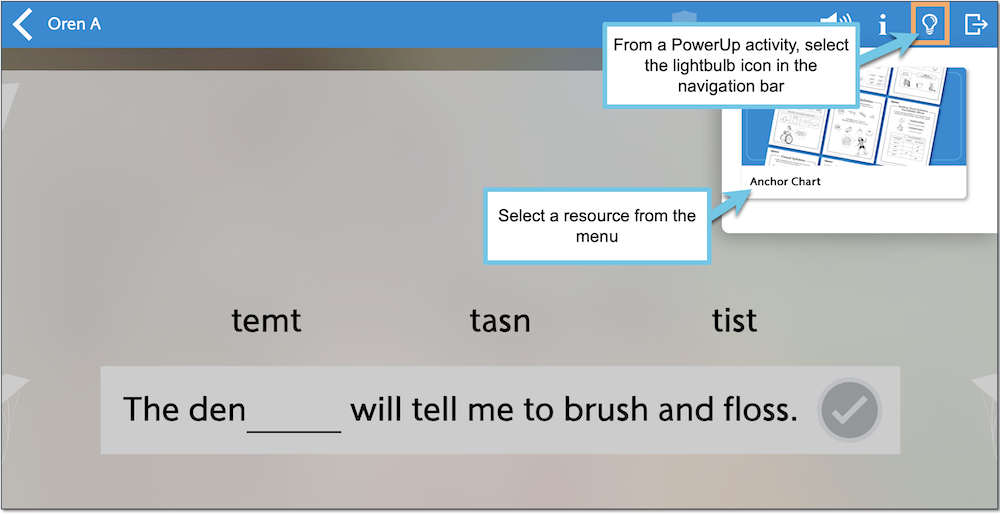
Students can use the Hints feature in PowerUp for on-demand instruction, to help with skills where they need additional support.
The Hint button (the lightbulb icon) is located in the top navigation bar in a PowerUp activity. Selecting the icon will bring up a menu where the student can view available resources to help them better understand the skills in the current unit. Resources may include Anchor Charts, instructional images, or videos.
Hints are not available in every unit or type of activity—for example, timed tasks do not have Hints. Skill Checks and placement activities also do not have Hints.