



Support Students with PowerUp at Home
Support Students with PowerUp at Home
Overview
If your child works in Lexia® PowerUp Literacy® at home, learn some tips on how you can help support their learning with PowerUp.
Applies to: Families and caregivers of students who use Lexia® PowerUp Literacy® at home.
Schedule Time for Learning
There’s a lot you can do to help your child get the most out of their time using PowerUp!
Each student has a recommended number of minutes of PowerUp use per week. Total time will be between 75–135 minutes per week. Try to set a schedule that will help your reader reach this target each week.
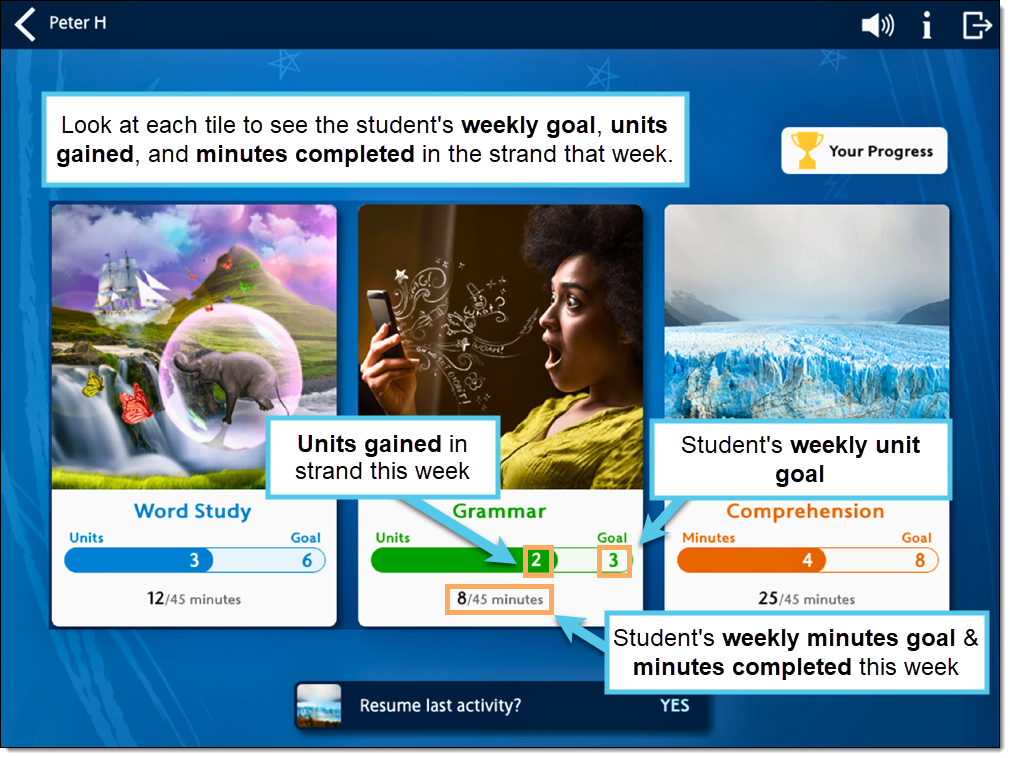
When learners log in to PowerUp, they'll see a weekly unit and time goal for each area of the program on their dashboard. They'll also see how many units they've completed and minutes they've spent in each strand so far this week.
Set up for Success
Try to provide a quiet space for learning, and check the volume before each session. Headphones are recommended to ensure that students are able to hear discrete sounds in words.
Encourage your learner to complete a unit before moving on to ensure that they get credit for all their time in the program. The green progress bar at the bottom of the page fills up when the unit is complete.
Tell your reader to select the Log Out button to log out completely when they are finished with the program. Logging out will ensure that their total time is accurate.
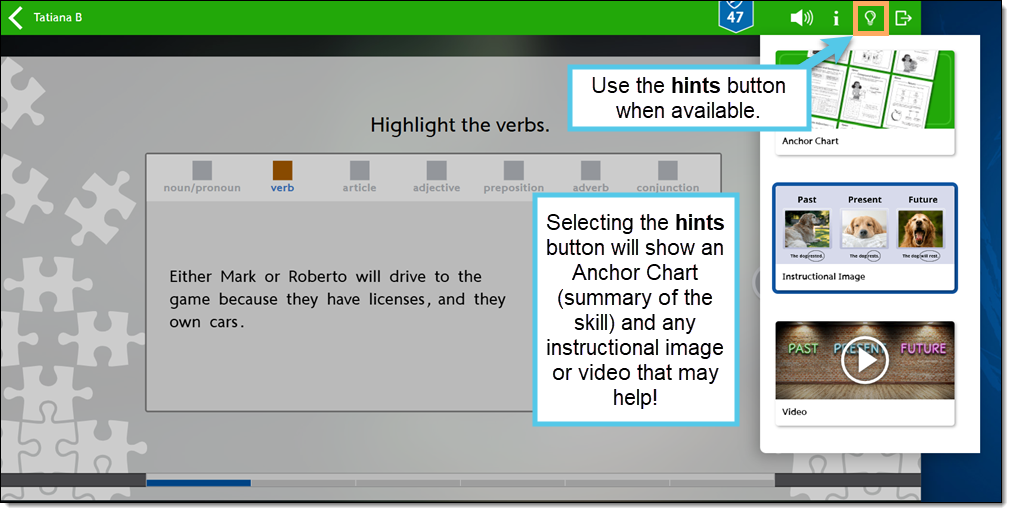
Remind your reader to use the hints button when available. This button provides access to a Lexia Anchor Chart (summary of the skill) and any instructional image or video that is appropriate. Using these resources not only allows students to do their best work but builds valuable self-support skills!
Students should complete the tasks on their own. That means no hints or tips from grown-ups, friends, or siblings! This is important because PowerUp provides extra support and instruction if students struggle with a task and alerts teachers when further help is required.
Encourage your reader to keep trying—learning takes time!
Check in and Track Progress
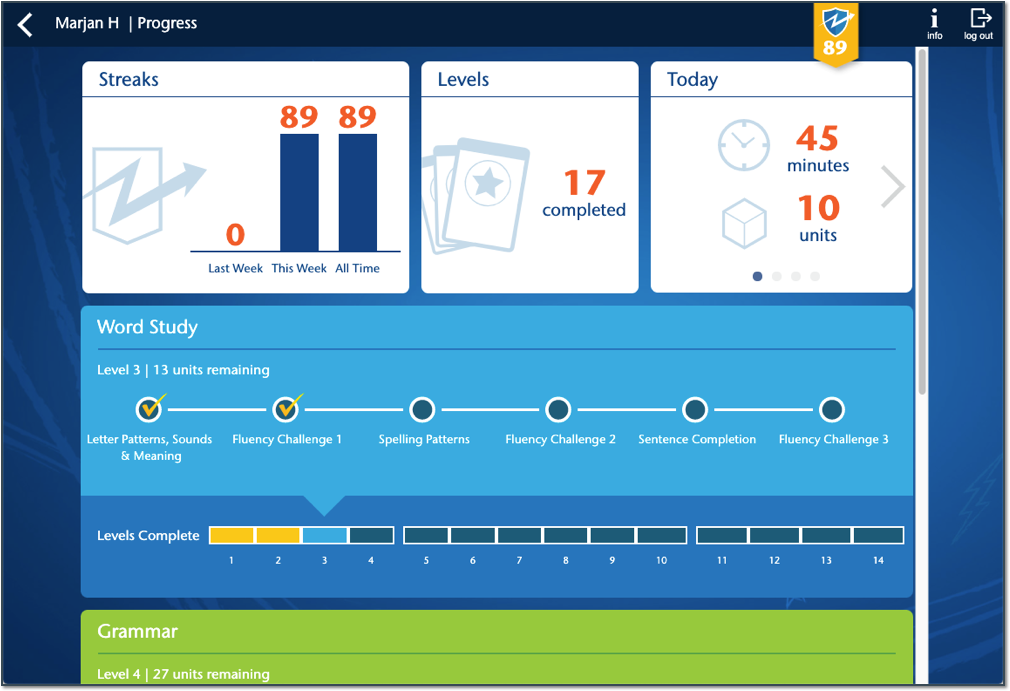
Encourage your reader to set goals for their work in PowerUp and make decisions regarding their reading. They can select the skill area they wish to work on during any given session but should be encouraged to work in all three strands every week. Help them monitor their usage and progress on the Your Progress screen.
Ask to see how many units your reader has completed today, this week, last week, and all time. Praise them for careful and continued progress.
Celebrate Success
Talk to your reader about their progress in PowerUp and ask them about their favorite strands, passages or activities.
Celebrate success when your reader completes a level!