



How can administrators turn off email notifications for all staff?
How can administrators turn off email notifications for all staff?
Overview
By default, email notifications are enabled for all users on their site in myLexia®. Staff with District Admin access can disable email notifications for all users site-wide. Disabling email notifications will prevent staff from adjusting their individual email frequency settings.
This article explains how to disable email notifications for your site in myLexia.
Applies to: Educators and administrators who have District Admin access to myLexia®.
Does not apply to: Educators or administrators who have School Admin, Teacher, or Read-Only accounts in myLexia.
How do I turn email notifications off for my site?
-
In myLexia, select Settings.
-
In the General section, select Site Settings.
-
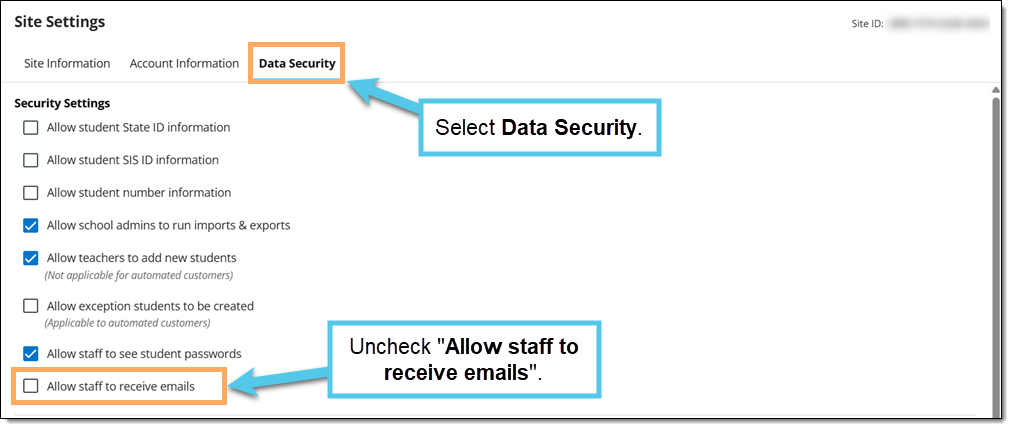
Select the Data Security tab and uncheck "Allow staff to receive emails".
-
Select Save.