



View Your Aspire License Status: for Participants
Overview
This article explains how Lexia Aspire® Professional Learning participants can view their license status in the Aspire learning platform.
Applies to: Educators who are enrolled in Lexia Aspire® Professional Learning.
View Your Aspire License Status
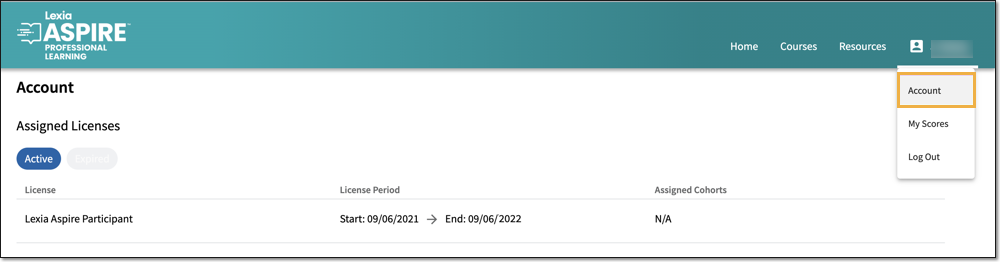
You can view information about your Aspire license on the Account page within the Aspire learning platform.
The Account page is accessible even once your license has expired.
See Aspire License Consumption Policy for information about the license consumption policy for both participant and leader licenses.
Log in to lexiaaspire.com.
Select your name at the top right.
Select Account.
If you have an active license, you will see the start and end dates for that license.
You can also see the end date for any expired licenses.