
Where can I see the status of my licenses?
Where can I see the status of my licenses?
Overview
This article describes how to see the status of licenses through the course manager dashboard in Lexia® LETRS®.
For more information on the course manager dashboard and its widgets, see LETRS Course Manager Dashboard.
Applies to: Course managers with Owner, License Manager, Cohort Manager, or View Only permission for Lexia® LETRS®.
Does not apply to: Educators who are enrolled in the Lexia® LETRS®, Lexia® LETRS® for Early Childhood Educators, and/or Lexia® LETRS® for Administrators courses of study.
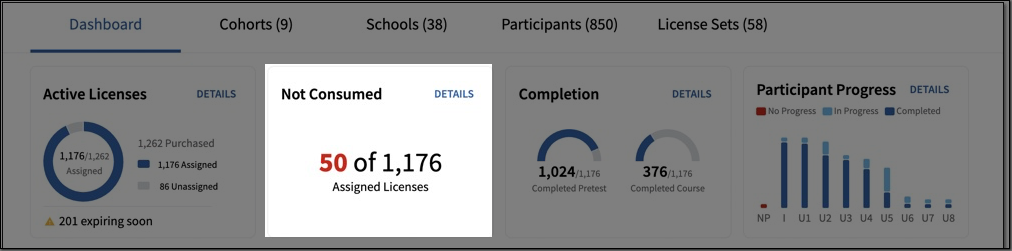
The Course Manager Dashboard has two widgets dedicated to licenses: Active Licenses and Not Consumed. Together, you can see how many of your assigned licenses haven't been used yet.
Active Licenses
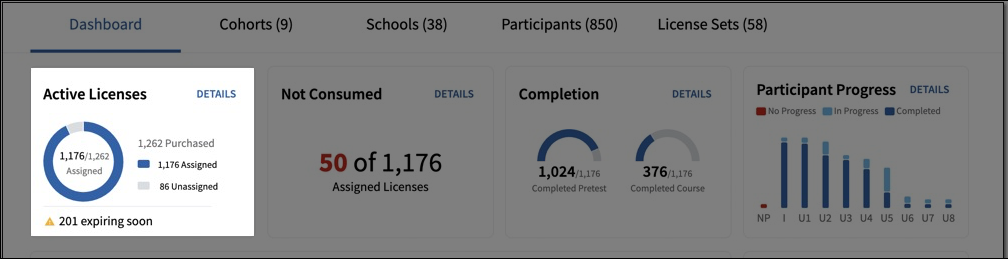
The Active Licenses widget shows a simple circle graph breaking down how many licenses your school or district purchased, how many of those licenses have been assigned, and how many are not assigned.
This widget will also inform you how many of your licenses are expiring soon.
Not Consumed
The Not Consumed widget gives a quick look at how many assigned licenses have not yet been consumed out of the licenses that have been assigned.