



For LETRS Facilitators: Where do I view my completed Connect sessions and Certificate of Achievement?
For LETRS Facilitators: Where do I view my completed Connect sessions and Certificate of Achievement?
Overview
In order to maintain their certification, LETRS Local Certified Facilitators must complete eight LETRS Connect sessions and pass each quiz with a score of 80% or higher before their license expires.
This article explains how to view how many Connect sessions you’ve completed, as well as where to find your Certificate of Achievement when you complete all eight sessions.
Applies to: Local certified facilitators and facilitator candidates for professional learning sessions for Lexia® LETRS® and Lexia® LETRS® for Early Childhood Educators courses of study.
There is no option to become a local certified facilitator for Lexia® LETRS® for Administrators.
Does not apply to: Educators who are enrolled in the Lexia® LETRS®, Lexia® LETRS® for Early Childhood Educators, and/or Lexia® LETRS® for Administrators courses of study.
Where do I see how many Connect sessions I’ve completed?
To view your completed Connect sessions:
-
Log in to LETRS.
-
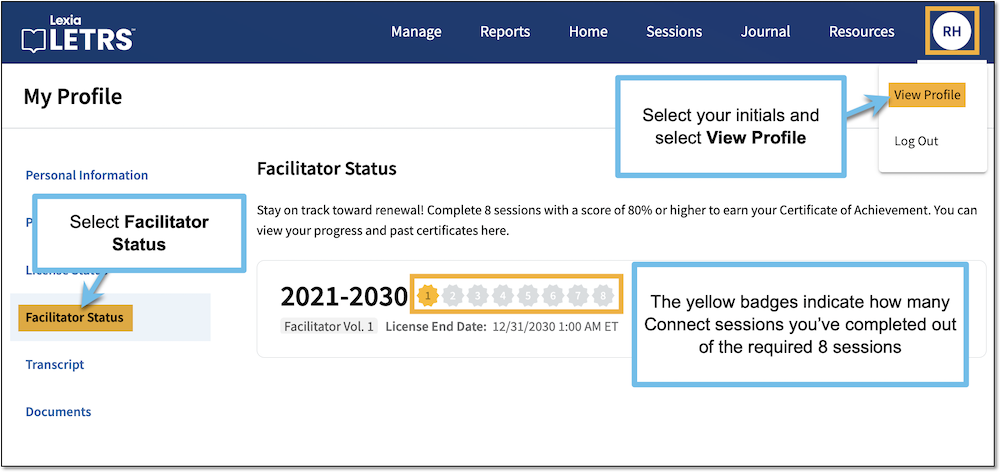
Select your initials at the top of the page and select View Profile.
-
On the My Profile page, select Facilitator Status.
-
There are eight badge icons, showing each of the eight sessions you need to complete. Yellow highlighted badges indicate completed sessions.
What is the deadline for completing my Connect sessions?
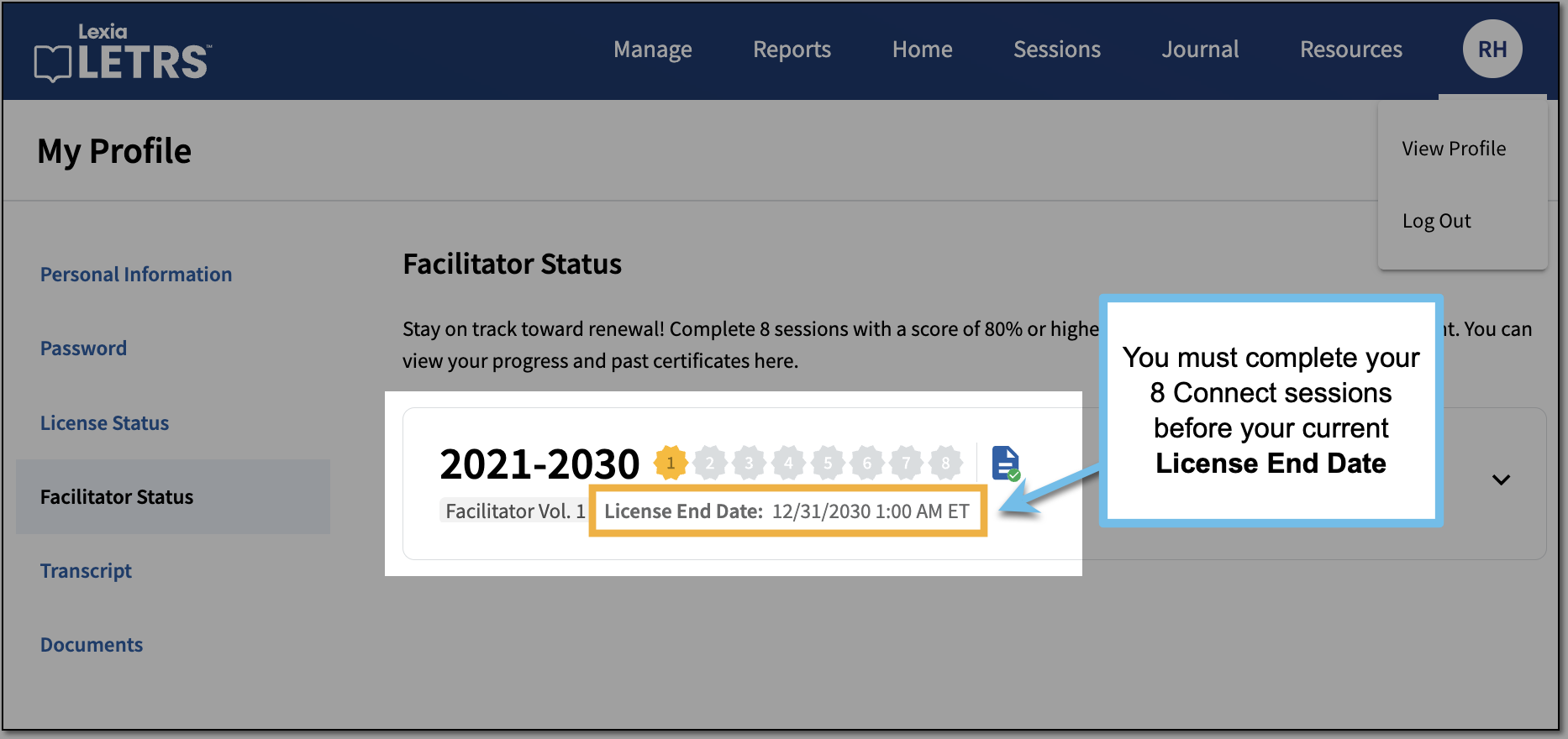
You must complete your eight Connect sessions with quiz scores of 80% of higher before your current license expires.
Your License End Date is displayed on your Facilitator Status page, under your Connect session badges.
Please note:
-
The timeline to complete your Connect sessions is tied to your current license cycle, not to the calendar year.
-
Because of this, the time range to complete your Connect sessions may be across multiple years (for example, 2025-2026 and 2026-2027).
-
All of your highlighted badges count towards your current Connect session requirement, as long as they were completed during your active license cycle.
-
The date range next to your Connect session badges indicates the years you have been a facilitator. The highlighted badges indicate the sessions completed during your current license cycle, not for all of the years you have been a facilitator.
When I complete my Connect sessions, where do I find my Certificate of Achievement?
When you complete the eight Connect sessions to fulfill your renewal requirement, you will earn a Certificate of Achievement. The certificate is available to download on the Facilitator Status page, next to your highlighted session badges.
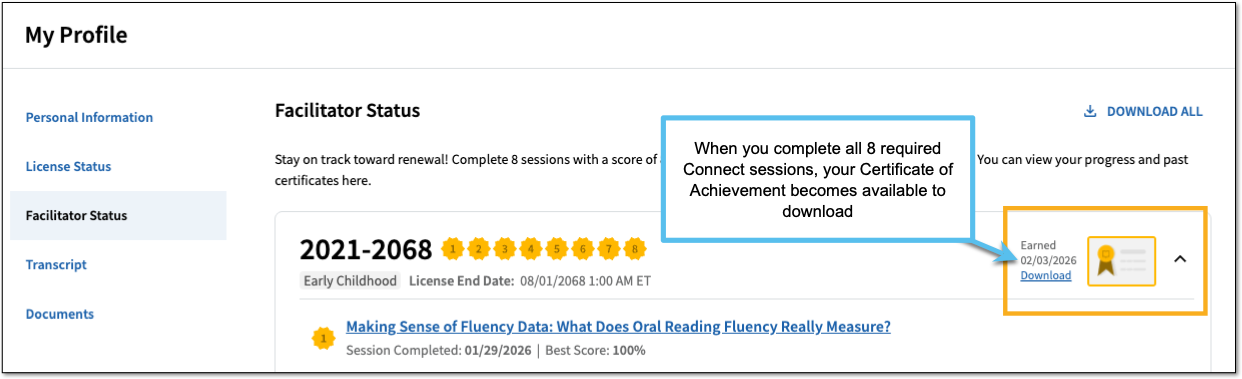
Your certificate will also become available to download from the Documents and Transcripts page for LETRS Connect.